Markdown is plain text, so if you print a .md file from TextEdit you get the raw marks: # before every heading, tables made of pipes and dashes. To print it the way it looks, something has to render it first. Here's the free way I built for it.
Print or save as PDF
- Download MarkeMark (free, macOS 13 or later) and drag it into your Applications folder.
- Open your markdown file in it: right-click the file in Finder and choose Open With, then MarkeMark.
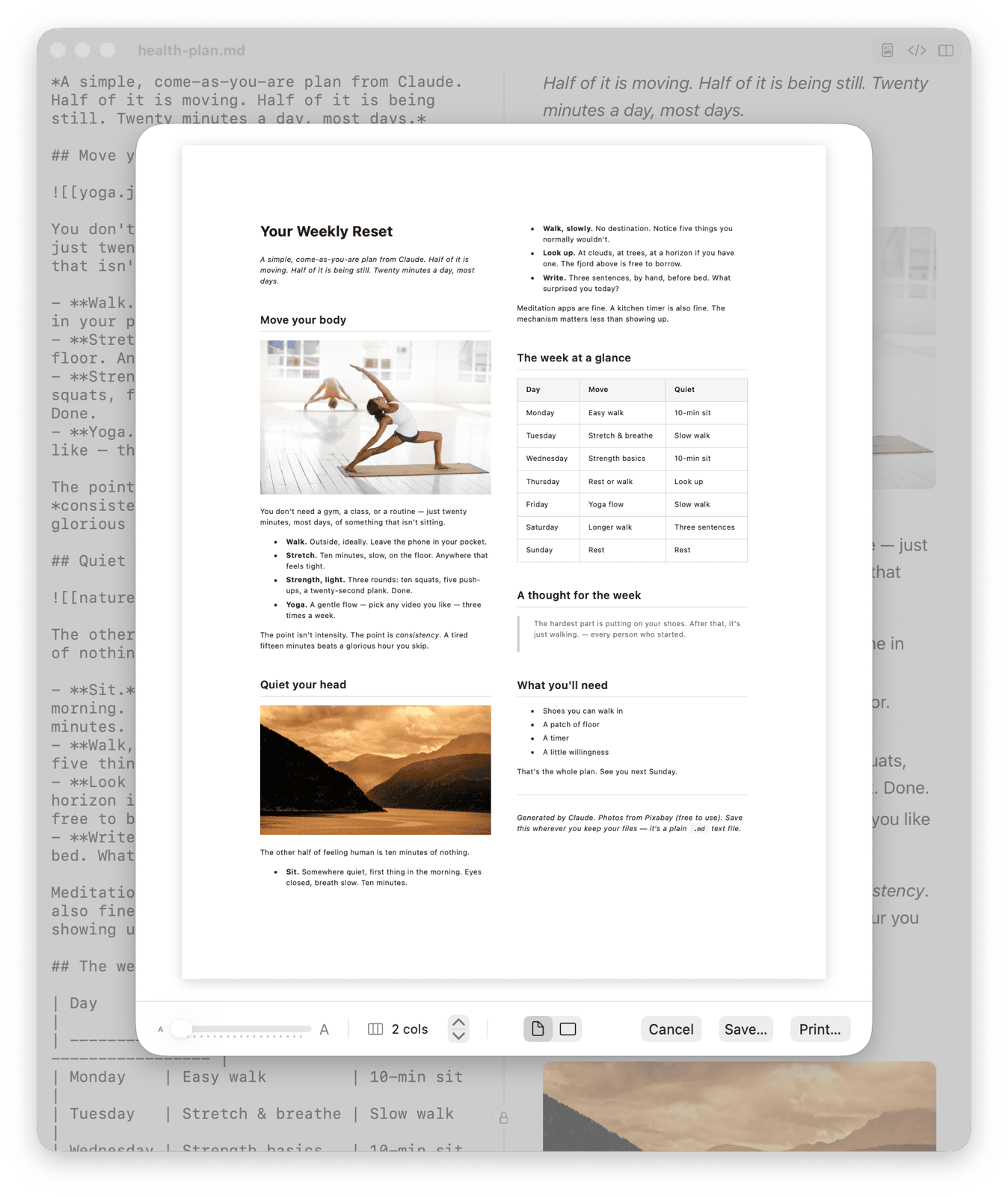
- Press ⌘ P. A live print preview opens.
- Click Save as PDF… for a PDF, or Print… to send it to your printer through the usual Mac print dialog.
Fit it on the page
The preview updates as you change these, so you see the result before you print:
- Columns: anywhere from one to nine. Text flows from one column into the next, like a newspaper.
- Text size: a slider, or ⌘ − and ⌘ +. Shrink it a little to get everything on one page.
- Margin: from a tenth of an inch up to a full inch.
- Portrait or landscape.
Headings, lists, checkboxes, tables, code and pictures all come along. Pictures linked with a relative path print too, including Obsidian-style embeds like ![[photo.png]].
What columns are good for
- Checklists and packing lists: three or four columns turn a long list into one sheet.
- Reference cards and cheat sheets: landscape with three columns and small text.
- Schedules and plans: two columns keep a week on one page.
- Notes saved from an AI chat: Claude and most other assistants write in markdown, so a saved answer prints cleanly.
Other formats
File, Export as HTML (⇧ ⌘ E) saves one self-contained web page with the pictures built in, handy for sending to someone who doesn't use markdown.
And if you only want to look at a markdown file without printing it, MarkeMark also lets you preview it in Finder by pressing Space.