MarkeMark

Markdown, simplified

3 killer features

01 — The spacebar trick

Quick Look for .md files

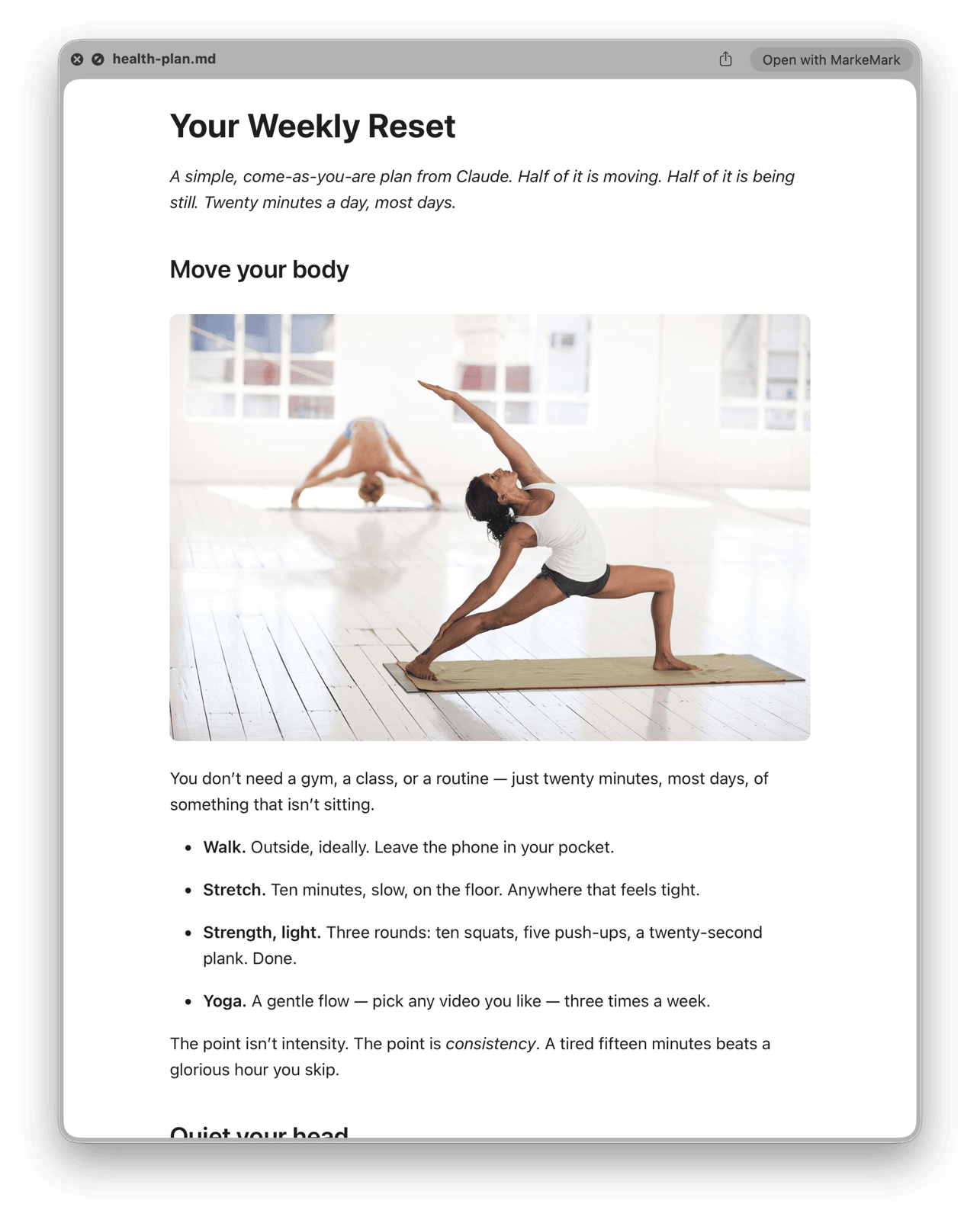
Select any .md or .markdown file in Finder and press Space. You get a rendered preview — headings, code blocks, tables, inline images. No app to launch, no setup. Works for any folder you've opened once.

Finder Quick Look preview showing a rendered markdown file with an inline image
02 — Print without pain

Print & PDF with multi-column reflow

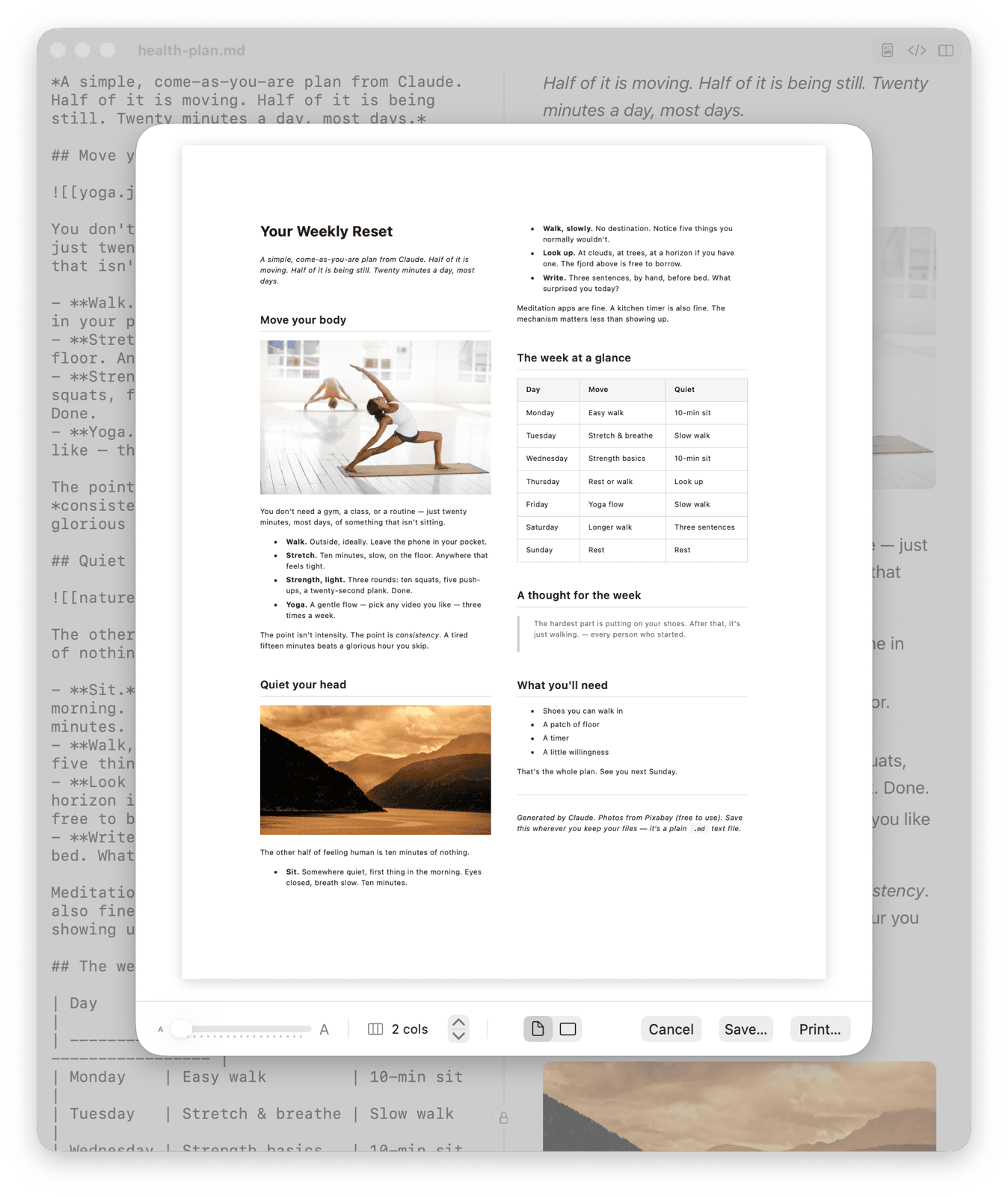
Cmd+P opens a live print preview with 1–9 columns, portrait or landscape, and a zoom slider that reflows text across the page. Print to paper or export as PDF from the same sheet — perfect for checklists, schedules, reference cards.

MarkeMark print preview showing markdown reflowed across two columns with tables, images, and a blockquote
03 — Drop & render

Inline images that just work

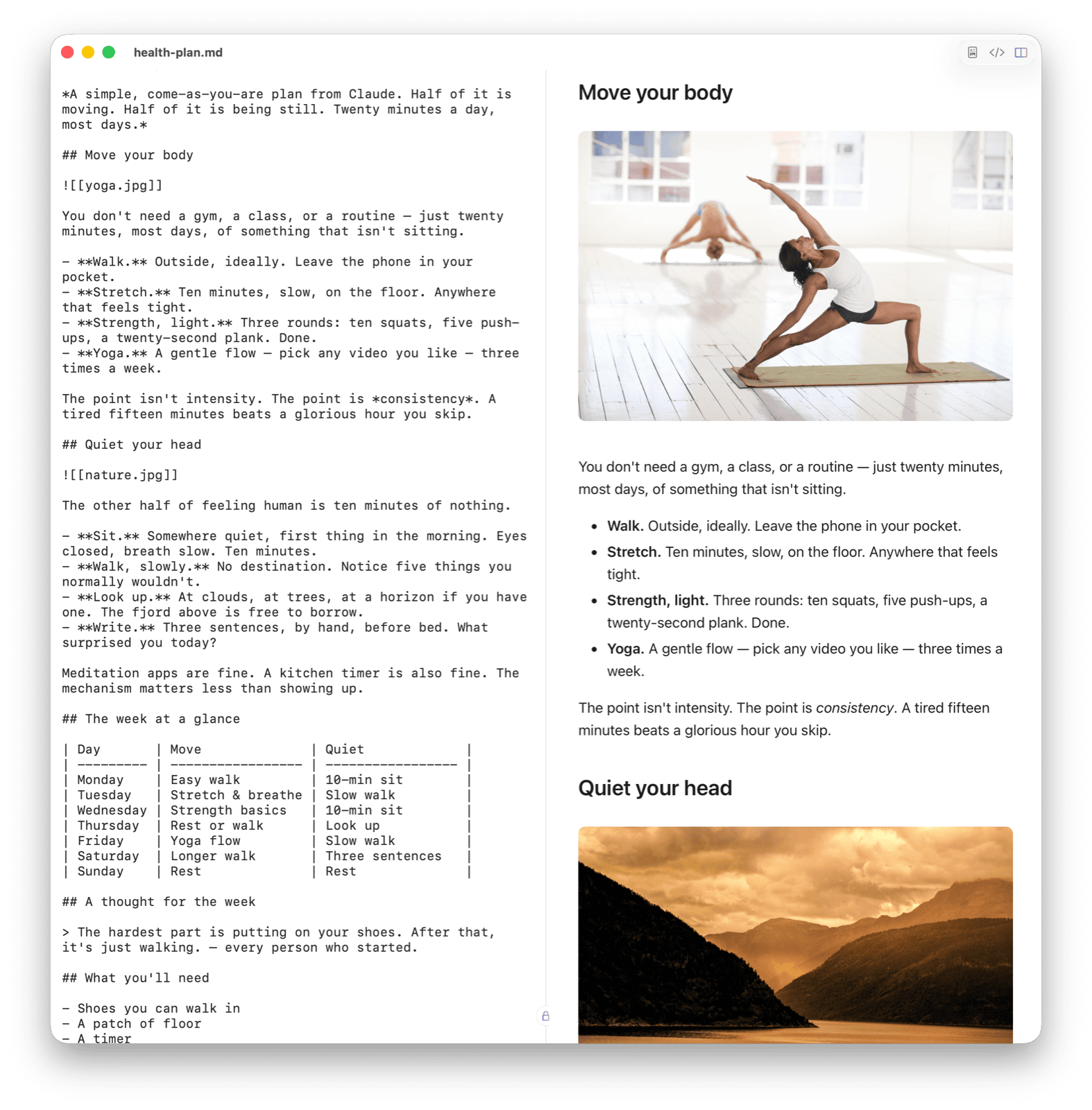
Obsidian-style embeds (![[screenshot.png]]) and relative paths render in preview and Quick Look. Your notes stay as plain .md on disk, images stay as files next to them. Nothing gets walled off in a proprietary vault.

Split-pane MarkeMark view: markdown source with Obsidian-style image embeds rendered as inline photos on the right
Also a real editor

When you want to write, too.

Split pane

Raw markdown on the left, rendered preview on the right. Or just one, or the other.

Edit either side

Type markdown or edit the rendered preview directly. Changes sync both ways, automatically.

Syntax highlighting

Code blocks look great. Fully offline via bundled highlight.js.

Dark mode

Follows your system, or pick one manually. This site does too.

Keyboard shortcuts

1Preview only
2Editor only
3Split view
FFind
PPrint / PDF
SSave
BBold
IItalic
KAdd link
Questions

FAQ

How do I install it?
  1. Download the DMG using the button above.
  2. Open the DMG and drag the app into your Applications folder.
  3. Double-click to launch. If macOS asks, click Open — the app is signed and notarized by Apple.
How do I set up Quick Look for markdown files?

No setup needed. The Quick Look extension activates automatically once the app is in your Applications folder.

Select any .md or .markdown file in Finder and press Space. You'll see a fully rendered preview with syntax highlighting, headings, lists, code blocks, and inline images — without opening the file.

The preview respects your system's light/dark mode automatically.

Quick Look isn't working. What do I do?
  1. Make sure the app is in /Applications (not Downloads or Desktop).
  2. Open it at least once so macOS registers the extension.
  3. Check System Settings > Privacy & Security > Extensions > Quick Look and make sure it's enabled.
  4. If another app is handling markdown previews, disable its extension first.
  5. As a last resort, relaunch Finder: Option-right-click the Finder icon in the Dock, choose Relaunch.
What are the system requirements?

macOS 13 (Ventura) or later. Universal binary for Apple Silicon and Intel.

Is it really free?

Yes, completely. No sign-up, no upsell.

Can I edit the rendered preview directly?

Yes. Click into the preview pane and edit the rendered text directly — bold, add links, change headings. Changes sync back to the raw markdown automatically. You can also go the other way: edit the markdown and watch the preview update live.

How was this built?

Entirely with Claude Code, Anthropic's AI coding assistant — app, Quick Look extension, and this website.

A small love letter

Thank you, John.

In 2004, John Gruber decided writing on the web shouldn't require HTML. With a little help from Aaron Swartz, he shipped Markdown — a format so readable it barely looks like a format at all.

Twenty years later, it's how Claude answers, how GitHub speaks, how half the internet's notes get written. An asterisk is still just an asterisk. A pound sign is still just a heading. The simplicity was the whole point, and it's held.

This app only exists because that one does. Thanks, John. Thanks, Aaron.

With # and *, forever.

Colophon

Built by one person,
with Claude Code.

MarkeMark is a solo project — nights and weekends — written end-to-end with Claude Code, Anthropic's terminal coding agent. Swift app, Quick Look extension, print engine, DMG signing, notarization, and this site.

If it saved you time or sparked an idea, I'd love to hear from you.

One more thing

Know when the next build ships.

MarkeMark checks for updates on launch, so you're always current. Want to follow along between builds? The changelog has every release, and new versions land as GitHub releases you can watch.